
NexRide Codes
Last checked: Last updated:
As of Nov 23, 2026, 6 confirmed NexRide codes are working. The newest one is Jolly.
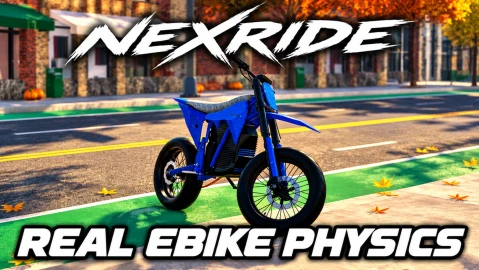
NexRide is an adventure and exploration game where you ride and customize detailed e-bikes. You operate the bike through interactive buttons and feel how it responds with riding physics built for an authentic feel. Codes can speed up the appearance and setup work you put into your bike.
Working NexRide codes (November 2026) 6
| Code | Reward | Added | Copy and vote |
|---|---|---|---|
Jolly | 15,000 Cash and 2x Money Boost (1 hour) | Did it work? | |
LARP | 5,000 Cash and 2x Cash Boost (15 min) | Did it work? | |
2MVISITS | 2,000 Cash | Did it work? | |
200KVISITS | 3,000 Cash and 2x Cash Boost (15 min) | Did it work? | |
100KVISITS | 2,500 Cash | Did it work? | |
CRYINGFISH | $10,000 Cash | Did it work? |
Know a code we are missing?Send it here. New senders' codes are checked before they go live.
Expired NexRide codes 7
THANKSRELEASEUPDATE$4,000 Cash and 2x Cash Boost (15 min)POLICE$1,500 CashBOOGIN2,000 Cash and 2x Cash Boost (30 min)DIRTBIKES5,000 Cash10KVISITS2x Cash (60 min)
How to redeem codes in NexRide
- Open NexRide on Roblox.
- Look for a Codes, Shop or Settings button on the screen (often a gift or Twitter-bird icon).
- Type or paste a code exactly as shown above. Codes are case-sensitive.
- Press Redeem or Enter to claim the reward.
Why is my code not working?
Most codes fail because they have expired, were typed with different capitalisation, or were already redeemed on the account. Some games also require a minimum level or group membership before codes can be used.
About NexRide
In NexRide, your bike is the center of play. You can change its appearance so the machine looks the way you want, then take it out and use the on-bike buttons to control each action. The controls are meant to be clicked and used directly, so riding stays hands-on instead of automatic. As you explore, you watch how the bike responds and adjust your input to match the terrain and your route.
The riding model in NexRide focuses on response. Detailed bike models and physics make the e-bike feel connected to your inputs, so turns, speed changes, and handling ask for steady control. Exploration is built around learning that response and applying it while you move through the game. Customization and riding feed into each other: you set up a bike you like, then test it through the controls and physics during each session.
Frequently asked questions
How do the interactive buttons on a NexRide e-bike work?
You click and use the buttons on the bike to control each action, which keeps the ride hands-on. The controls work alongside the riding physics, so your inputs affect how the e-bike responds. Learning which button does what helps you handle the bike with more confidence.
Which parts of your e-bike can you change in NexRide?
You can restyle the bike's appearance before heading out, since each model is fully built in 3D rather than being a generic vehicle shell. Your setup stays visible while you ride and explore, so it is worth tuning the look early. Because the controls are interactive, clicking the buttons on the bike feels natural on a frame you chose yourself.
How does NexRide's riding physics affect exploration?
The physics are designed to make the e-bike respond as you ride, so exploration depends on how you handle the controls. You adjust your input as the bike reacts, which makes each route feel more connected to your actions. The detailed bike model and hands-on buttons support that response during play.
NexRide player count
- Playing now
- 637
- Peak, last 24 hours
- 895
- Average, last 7 days
- 508
- Peak, last 30 days
- 895
Recent NexRide updates
New codes often come out with a game update. These are the update times Roblox reported.
Page history
- Code expired:
UPDATE,POLICE,BOOGIN+1 - Code working again:
10KVISITS - Page created:
BOOGIN,CRYINGFISH,Jolly+6
More Adventure game codes
a dusty trip Codes3 codes · 12.4K playing
Drill to Earth’s Core Codes2 codes · 8.9K playing
Cave Casualties Codes7 codes · 5.3K playing
Growblox Codes1 code · 1.6K playing
Sleepover (Story) CodesNo codes yet · 3.4K playing
Empty Quarter Desert Trip CodesNo codes yet · 56 playing
13 Days to Escape CodesNo codes yet · 26.9K playing
DEGRADE CodesNo codes yet · 2.4K playing