
My KPOP Shop! Codes
Last checked: Last updated:
As of Nov 23, 2026, 3 confirmed My KPOP Shop! codes are working. The newest one is KPOPSHOP.
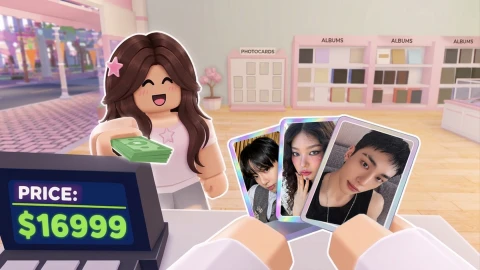
My KPOP Shop! is a store simulation where you run a KPOP merchandise shop, open photocard packs, and sell items to visiting fans. You earn cash from sales, then put it into staff, furniture, and store upgrades. Codes that give cash or temporary boosts support this buying and restocking loop.
Working My KPOP Shop! codes (November 2026) 3
| Code | Reward | Added | Copy and vote |
|---|---|---|---|
KPOPSHOP | $150 | Did it work? | |
250LIKES | 2x Money Boost (30 min) | Did it work? | |
MONEYPLEASE | 2x Money Boost (30 min) | Did it work? |
When is the next My KPOP Shop! code?
Next code at 2,500 likes
85%2,136 now364 to go
This goal comes from the developer's Roblox page. It is not a code.
Free My KPOP Shop! rewards without a code
The developer gives these for a few simple steps. Read from the game's Roblox page on Nov 23, 2026.
- Reward2x Cash for 30m
My KPOP Shop! events on Roblox
The developer posts these on the game's Roblox page. Limited-time rewards and new codes often come with them.
Know a code we are missing?Send it here. New senders' codes are checked before they go live.
How to redeem codes in My KPOP Shop!
- Open My KPOP Shop! on Roblox.
- Look for a Codes, Shop or Settings button on the screen (often a gift or Twitter-bird icon).
- Type or paste a code exactly as shown above. Codes are case-sensitive.
- Press Redeem or Enter to claim the reward.
Why is my code not working?
Most codes fail because they have expired, were typed with different capitalisation, or were already redeemed on the account. Some games also require a minimum level or group membership before codes can be used.
About My KPOP Shop!
Your routine starts with getting product onto shelves and then working the register when fans line up. Keep an eye out for thieves, because losing stock cuts into the cash you need for growth. Super fans can arrive with special requests, so serving them well becomes another task alongside normal checkout. As you level up, new products and furniture become available, which gives you more ways to shape the store.
The shop itself grows over time: you expand the floor space, place new furniture, and pick a theme built around your favorite group. The co-op mode lets a friend join you on duty inside the store, and each friend on your server adds a 10% earnings bonus. Daily rewards and offline earnings keep money flowing between sessions, and sales rankings give you a scoreboard to climb. As the store gets busier, you can hire a restocker, a cashier, and a guard to take over the routine jobs for you.
Frequently asked questions
How do photocard packs and the binder fit into running My KPOP Shop?
You open photocard packs to pull cards and build your binder, which sits alongside the rest of your store work. Packs, albums, and lightsticks are also products you stock and ring up for fans. Rare pulls give the pack opening side of the shop more weight than a simple shelf item.
Which staff role should I hire first in My KPOP Shop?
The game lists a restocker, a cashier, and a guard as hireable roles. A restocker helps keep shelves filled, a cashier covers register duty, and a guard deals with thieves. Pick the role that covers the task taking the most time away from your own shop work.
How does the friend earnings bonus work in co-op?
Every friend present on your server adds a 10% boost to your earnings, so a friend joining your store directly raises your income. In co-op they can also take on duties around the shop, like working the register or watching the floor. The more friends on the server, the larger the combined bonus gets.
My KPOP Shop! player count
- Playing now
- 8,334
- Peak, last 24 hours
- 8,334
- Average, last 7 days
- 7,446
- Peak, last 30 days
- 11,122
Recent My KPOP Shop! updates
New codes often come out with a game update. These are the update times Roblox reported.
Page history
- Code added:
KPOPSHOP - Page created:
250LIKES,MONEYPLEASE
More Simulation game codes
Fish It! Codes2 codes · 68.1K playing
Fisch Codes2 codes · 58.4K playing
Bee Swarm Simulator Codes1 code · 44.1K playing
Tap Simulator REBORN Codes7 codes · 43.8K playing
Shovel All Snow CodesNo codes yet · 34 playing
Sweep The Moon Codes1 · Codes being verified · 9.6K playing
Fling Arena CodesNo codes yet · 4.4K playing
Kart To Formula Codes4 codes · 188 playing